The Apple Watch has introduced innovative features to help you track your health. With the recent FDA clearance for its Breathing Disturbances feature, the watch can now detect potential signs of breathing issues during sleep. This non-invasive tool uses advanced sensors to monitor your respiratory patterns and alert you to any irregularities.
By integrating this feature with the Health app on your iPhone, you can access detailed data about your sleep patterns. This information not only empowers you to understand your health better but also provides valuable insights to share with your healthcare provider.

Understanding Sleep Apnea and Its Impact on Your Health
Health awareness is vital, especially when it comes to conditions that disrupt your well-being. Sleep apnea is one such disorder that affects millions of people. This condition is marked by repeated interruptions in breathing during sleep, leading to serious health implications.
Sleep apnea can be categorized into two main types. The first is obstructive sleep apnea, where the throat muscles relax excessively, blocking the airway. The second type is central sleep apnea, which occurs when the brain fails to send proper signals to the muscles controlling breathing. Both types result in poor-quality sleep and can lead to various health complications.
What Is Sleep Apnea?
Sleep apnea is a serious sleep disorder where breathing repeatedly stops and starts during sleep. These pauses can last from a few seconds to minutes. This disruption leads to fragmented rest and reduced oxygen levels in the bloodstream throughout the night.
Common Symptoms and Health Risks
Identifying the symptoms of sleep apnea is crucial. Common signs include loud snoring, gasping or choking sounds during sleep, and excessive daytime fatigue. You might also experience morning headaches and difficulty concentrating on daily tasks.
Untreated Sleep Apnea can significantly increase the risk of developing serious health issues. These include high blood pressure, heart disease, type 2 diabetes, and stroke. Over time, elevated blood sugar levels can compound these risks, making early detection essential.
Why Monitoring Sleep Apnea Matters
Monitoring your sleep and breathing patterns is vital for early detection. Up to 80% of cases remain undiagnosed because symptoms often occur during sleep. Many people dismiss daytime fatigue as a normal part of life rather than a sign of an underlying condition.
Risk factors for developing sleep apnea include obesity, older age, and a family history of the condition. Lifestyle choices, such as smoking and alcohol consumption, also contribute. By recognizing these factors, you can take proactive steps to improve your health.
Wearable technology, like the Apple Watch, is transforming how we detect breathing disturbances. This technology allows individuals to track their breathing patterns at home, eliminating the need for overnight stays in sleep clinics. This advancement in health monitoring is making it easier for people to manage their well-being.
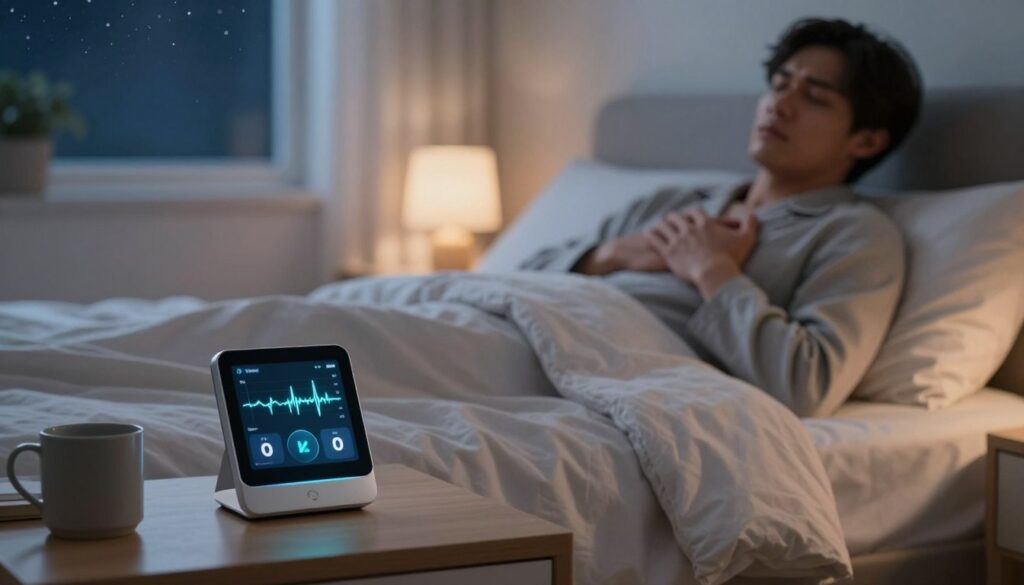
Using Apple’s Sleep Apnea Notifications to Track Your Health
Today, innovative tools allow you to keep a close eye on your health with minimal effort. One such tool is the Apple Watch, which offers a unique feature to help you monitor potential breathing disturbances during the night. This feature can be a game-changer for those concerned about their respiratory health.
What Are Apple’s Sleep Apnea Notifications?
Apple’s sleep apnea notifications are a sophisticated health monitoring feature. They utilize the Breathing Disturbances metric to track your respiratory rate and patterns while you sleep. Over a continuous 30-day period, the device collects and analyzes data to determine if there are signs of possible sleep apnea.
Which Apple Watch Models Support This Feature?
To access this feature, you need one of the following models: Apple Watch Series 9, Apple Watch Ultra 2, or Apple Watch SE 3. Ensure that your watch is running the latest version of watchOS to take full advantage of the sleep apnea detection capabilities.
Step-by-Step Setup Guide for Sleep Apnea Notifications
Setting up the sleep apnea notifications is straightforward. Start by opening the Health app on your iPhone. Tap on Search, then navigate to Respiratory. Under Sleep Apnea Notifications, select Set Up. You will need to confirm your Date of Birth and indicate whether you have ever been diagnosed with sleep apnea.
Make sure your iPhone is updated to the latest iOS version. Both your iPhone and Apple Watch must be paired correctly for the notifications to function properly.
How the Feature Works During Your Sleep
The feature operates automatically while you sleep. Your watch uses built-in motion sensors and, on newer models, blood oxygen monitoring to detect subtle changes in your breathing patterns. This process requires no manual input or adjustment during the night.
To gather sufficient data, you must wear your Apple Watch consistently for at least ten nights within a 30-day period. If consistent disruptions are detected, the app will notify you of potential signs of sleep apnea.
It’s important to note that this feature is designed for users over 18 who have not previously been diagnosed with sleep apnea. It serves as an early detection tool rather than a management device for existing conditions.

Key Sleep and Health Metrics Tracked by Your Apple Watch
Tracking your health metrics has never been easier, thanks to modern technology. The Apple Watch offers a variety of features that monitor your health during sleep. These metrics provide valuable insights into your respiratory and overall health.
Breathing Disturbances and Respiratory Patterns
The Breathing Disturbances metric on your Apple Watch is essential for monitoring your respiratory rate. It calculates the number of breaths per minute using motion sensors. This feature helps detect any irregularities that may indicate disrupted breathing during the night.
Blood Oxygen Levels and Pulse Oximetry
Newer models of the Apple Watch include a blood oxygen monitor. This feature uses pulse oximetry to estimate the percentage of oxygen in your bloodstream. It takes occasional measurements throughout the night when your arm is positioned correctly for accurate readings.
Heart Rate Variability and Sleep Stages
Heart rate variability (HRV) is another critical metric tracked by your watch. It measures the time between heartbeats, providing insights into your overall health. A higher HRV generally indicates better cardiovascular fitness and resilience to stress.
The Sleep app also tracks time spent in three sleep stages: core sleep, deep sleep, and REM sleep. Core sleep is light sleep, while deep sleep allows your body to repair itself. REM sleep is crucial for memory and learning.
All these metrics work together to create a comprehensive picture of your sleep health. Consistent patterns like low blood oxygen levels or sudden heart rate spikes can indicate potential issues, such as sleep apnea.
Your Apple Watch presents this health data in an easy-to-digest format on the Sleep app. It shows key highlights for quick reference while offering a detailed breakdown through the Health app on your paired iPhone.
By using these tracked metrics, you can identify concerning trends over time. The Apple Watch analyzes your breathing disturbances, oxygen levels, heart rate, and sleep stages across multiple nights. This analysis helps detect patterns consistent with sleep apnea before sending you a notification.
Interpreting Your Sleep Data and Notifications
Understanding your health data is essential for managing your well-being effectively. The Apple Watch provides valuable insights through its breathing disturbance alerts. These notifications help you assess your nightly breathing patterns, indicating whether they are “elevated” or “not elevated.” Consistent elevated readings may suggest potential signs of sleep apnea.
Understanding Breathing Disturbance Alerts
When you receive a breathing disturbance alert, it means your watch has detected repeated abnormal patterns over time. This is not a diagnosis but a prompt to consult with a healthcare provider for further evaluation. Recognizing these alerts is crucial for proactive health management.
Using the Health App for Detailed Insights
The Health app on your iPhone is a powerful tool for accessing detailed insights into your sleep data. It allows you to view visual representations of your breathing disturbances over the past month, six months, or even a year. This historical data can help you identify long-term trends and changes in your health.
Within the app, you can also explore educational resources. Articles like “What Is Sleep Apnea?” and “Understanding Sleep Stages” provide context for your data. These resources are valuable for interpreting your results and understanding their implications for your overall health.
When to Share Your Data with a Healthcare Provider
Knowing when to share your data with a healthcare provider is essential. If you receive a notification indicating possible signs of sleep apnea, or if you notice consistent patterns of elevated breathing disturbances, it’s time to seek professional advice. Other indicators, such as low blood oxygen levels or poor sleep quality, should also prompt a conversation with your provider.
The Health app offers a PDF export feature. This allows you to generate a comprehensive report of your sleep and breathing data. Sharing this document during consultations can facilitate informed discussions about your health concerns.
Combining the objective data from your Apple Watch with your subjective experiences, like daytime fatigue or morning headaches, will provide your healthcare provider with a complete picture of your sleep health. This comprehensive approach is key to effective health management.
Apple Watch Sleep Apnea Detection Versus Traditional Diagnostic Methods
Advancements in technology are reshaping how we approach health monitoring and diagnosis. With various options available, it’s essential to compare the Apple Watch’s sleep apnea detection features with traditional methods.
When it comes to accuracy and reliability, the Apple Watch excels at detecting irregularities in breathing. However, it is not a substitute for medical-grade diagnostic tools. Traditional methods, such as polysomnography, measure brain waves, sleep stages, and oxygen levels. These methods provide a comprehensive understanding of your sleep health.
Comparing Accuracy and Reliability
While the Apple Watch offers high accuracy for identifying sleep disturbances, it lacks the diagnostic capabilities of traditional sleep studies. Home sleep tests (HST) provide medical-grade accuracy for diagnosing obstructive sleep apnea. These tests require a prescription and can be conducted in the comfort of your home.
Cost and Accessibility Considerations
Cost is another factor to consider. The Apple Watch starts at $799, serving as a multi-purpose device. In contrast, home sleep tests range from $150 to $500. Traditional sleep studies can cost anywhere from $1,000 to over $10,000, making them less accessible for many people.
The Apple Watch is highly accessible for users already within the Apple ecosystem. It requires no prescription, allowing for immediate use. In contrast, home sleep tests necessitate a virtual consultation and a prescription, which can delay the process.
Convenience and Use Cases for Different Options
Convenience is a significant advantage of the Apple Watch. Its design allows for comfortable daily wear and automatic operation during sleep. This makes it an attractive first-step screening tool for those who want to monitor their health easily.
For individuals seeking definitive diagnoses, traditional methods remain essential. CPAP machines, for instance, provide high accuracy for monitoring breathing patterns but are only available to those already diagnosed with sleep apnea. This limits their usefulness for initial detection.
Other consumer devices, like the Withings Sleep Analyzer and Oura Ring, offer varying levels of accuracy. However, they lack the specific features and FDA clearance of the Apple Watch for sleep apnea detection.
Ultimately, your choice will depend on your situation. Whether you are tech-savvy and prefer early detection or need a formal diagnosis through a prescribed study, understanding your options is crucial.
Practical Steps to Take After Receiving a Sleep Apnea Notification
Taking proactive steps after receiving health alerts can significantly improve your well-being. If your Apple Watch alerts you about potential sleep apnea, it’s essential to act promptly. Begin by scheduling an appointment with a healthcare provider to discuss the alert.
When you meet with your doctor, bring the data from your Apple Watch. This information will help facilitate an informed discussion about your breathing patterns and potential issues. It’s also crucial to monitor and document any additional symptoms you may be experiencing.
Common symptoms include loud snoring, gasping for air during sleep, morning headaches, and excessive daytime fatigue. Noting these signs will provide your healthcare provider with a more complete clinical picture.
Consulting Your Doctor and Seeking Professional Diagnosis
Your healthcare provider may recommend a diagnostic process that includes a home sleep test. Devices like ResMed’s NightOwl can differentiate between obstructive and central sleep apnea. Alternatively, you may be referred for an in-lab polysomnography for a more comprehensive evaluation.
Monitoring Symptoms and Lifestyle Changes
In addition to seeking a diagnosis, consider exploring treatment options. Lifestyle modifications can significantly reduce the severity of symptoms. Weight loss, quitting smoking, and reducing alcohol consumption are effective strategies for many people.
Exploring Treatment Options and Follow-Up Care
Oral appliance therapy is another option. This involves wearing a custom-fitted device during sleep to keep your airway open. For those with moderate to severe cases, CPAP therapy remains the most common and effective treatment.
Modern CPAP devices are quieter and more comfortable, often integrating monitoring features that track your breathing patterns. Check with your health insurance plan or Medicare about coverage for sleep studies and treatments, as many plans cover part of the costs when deemed medically necessary.
Finally, commit to regular follow-up care with your healthcare provider. This will help monitor your progress and adjust therapy settings if needed. Your Apple Watch remains a valuable tool, allowing you to track your sleep patterns and monitor how well your treatment is working over time.
Conclusion
Monitoring your health has never been more important, especially with the rise of technology. The Apple Watch offers a non-invasive way to detect potential sleep issues, making it a valuable tool for many users. Its integration with the Health app provides insights into your breathing patterns and overall well-being.
However, it’s essential to remember that while the watch can signal possible concerns, it is not a substitute for a professional diagnosis. If you receive alerts about breathing disturbances, consult your healthcare provider for further evaluation.
As technology advances, future versions of the Apple Watch may enhance accuracy and monitoring capabilities. If you suspect you have sleep apnea, consider a home sleep test to better understand your condition. Taking action based on your watch’s notifications can significantly improve your long-term health.