Learning how to turn off your iPhone 15 Pro Max is key for Apple users. It helps when you’re fixing device problems or getting ready to travel. Knowing the right steps can save you time and avoid tech issues.
Apple’s latest phones offer many ways to shut down your iPhone. You can use button combos or software options. This guide will show you the best ways to power down your device safely and quickly.
Knowing how to manage your iPhone’s power keeps it in top shape. You can easily learn to turn off your device without hassle. This makes taking care of your phone easy.
Our detailed guide will cover different ways to turn off your iPhone. It includes clear, easy steps for everyone. Whether you’re new to tech or experienced, you’ll learn how to handle your device’s power settings with ease.
Understanding Your iPhone 15 Pro Max Power Controls
Learning how to turn off your iPhone 15 Pro Max might seem hard at first. But, with some knowledge, you’ll get the hang of it quickly. Smartphones today have many ways to handle power, and knowing these helps keep your device running well and saves battery.

Physical Button Locations and Functions
The power controls on your iPhone start with the physical buttons. The side button and volume controls are on the right side. They are key for turning off your iPhone 15 Pro Max.
- Side button: Primary power control mechanism
- Volume buttons: Secondary interaction points
- Screen lock/unlock functionality
Power Options in Latest iOS
Your iPhone has several ways to manage power. The sleep mode is a quick pause that saves some battery. Turning off the device completely saves even more battery.
- Sleep Mode: Quick pause, minimal battery drain
- Full Shutdown: Complete device power off
- Low Power Mode: Extended battery conservation
Safety Considerations Before Powering Down
Before you turn off your iPhone 15 Pro Max, take a few steps. Always back up your important data and close apps. Make sure no big downloads or updates are happening. These steps help avoid losing data or interrupting your system when managing power.
How to Turn Off iPhone 15 Pro Max Using Different Methods
Turning off your iPhone 15 Pro Max is easy once you know how. Many people look for ways to stop their iPhone. They find several options to deactivate their device.
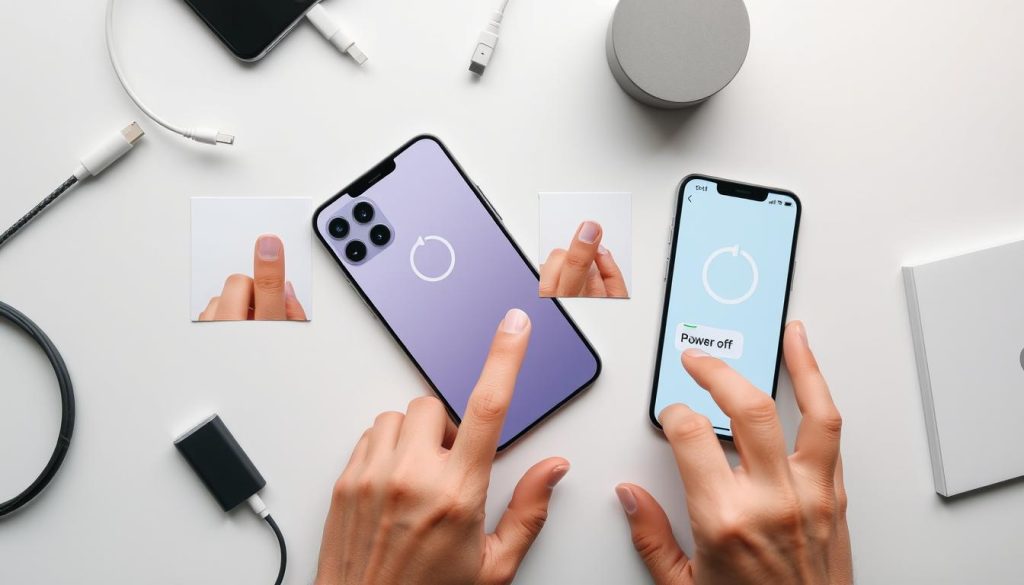
The main way to power off your iPhone is by using physical buttons. Here’s what to do:
- Press and hold the side button and either volume button at the same time
- Wait for the power slider to show up on the screen
- Drag the slider from left to right to turn off your device
If the physical buttons don’t work, there are other ways to stop your iPhone 15 Pro Max. The Apple support community suggests using AssistiveTouch as a good backup.
If you can’t use the usual power-off methods, try these other ways:
- Use the Settings app to deactivate your iPhone
- Turn on AssistiveTouch in Accessibility settings
- Do a force restart if your device won’t respond
Remember, turning off your device safely stops software problems. It keeps your iPhone working well. Always save your data before shutting down.
Conclusion
Learning to turn off your iPhone 15 Pro Max is key for keeping it running well. We’ve shown you several ways to power down your phone. This helps you handle your device with ease in different situations.
Knowing how to shut down your iPhone gives you control. You can use physical buttons or software settings, each with its own benefits. Regular shutdowns can also reset your phone and prevent software problems.
Apple makes it easy to manage your iPhone’s power. By using these methods, you can make your phone last longer and work better. This also helps you fix any technical issues.
As technology changes, it’s vital to know how to use your device. We suggest looking into more iPhone guides. This will help you get the most out of your smartphone.
1 thought on “Simple Steps to Turn Off iPhone 15 Pro Max”